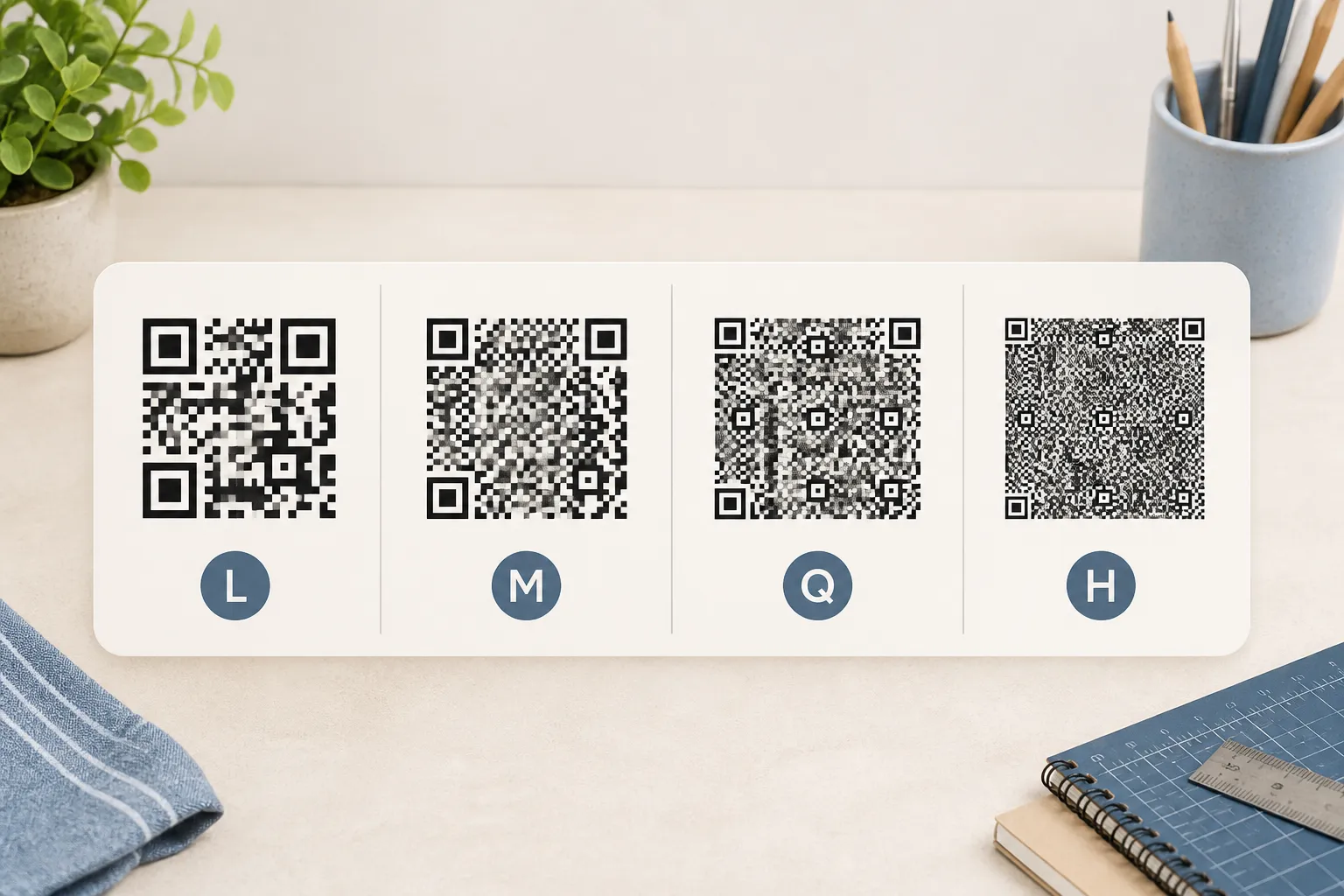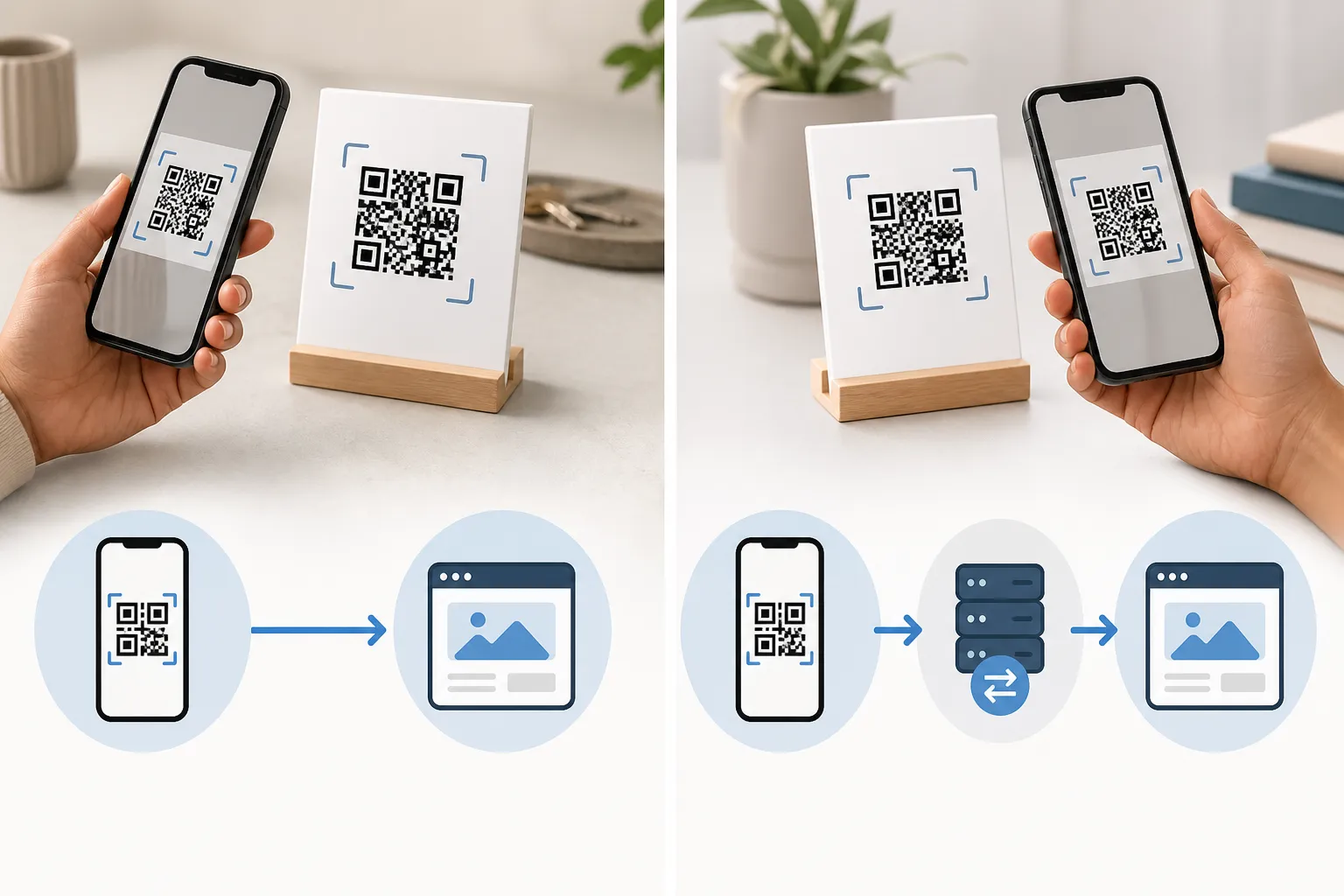
The first time I really looked at a QR code, I was standing in a hardware aisle wondering how a printed square of noise knew my Wi-Fi password. It felt like a small magic trick. It is not magic, and once you can read the visible parts of the pattern the whole thing stops being mysterious and starts being surprisingly logical - a little machine you can inspect with your own eyes.
Here is the honest, deflating truth to start with: a QR code is just a picture of some text. It is a two-dimensional barcode, a grid of light and dark squares that stands in for a web address, a short message, contact details, Wi-Fi credentials, or similar. It is not a service. It does not phone home, it does not track you on its own, and it certainly cannot promise that wherever it points is safe. It is a compact, printable way to store information so a camera can recover it. Everything clever happens in the reading, not in the square.
Learning to read the pattern
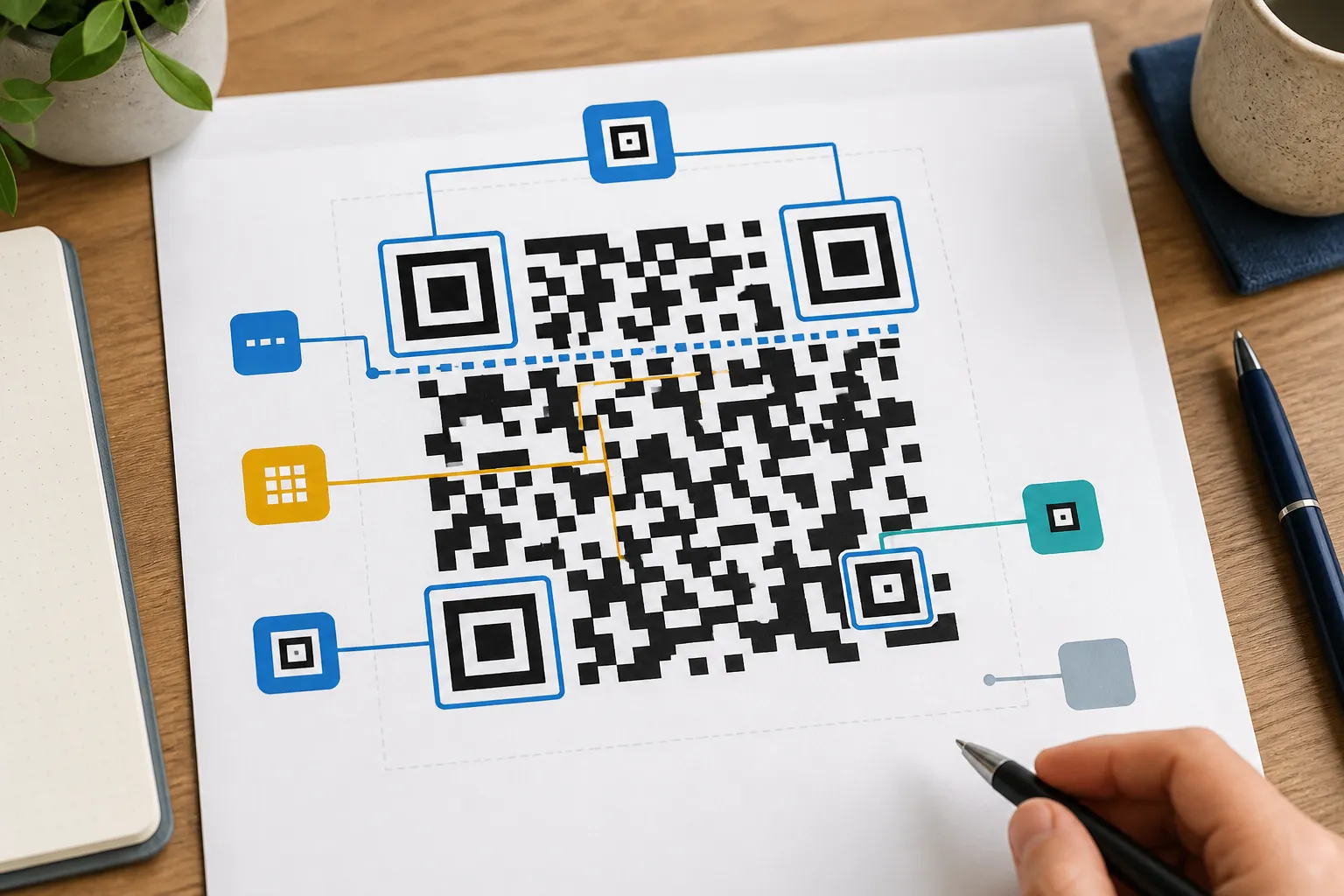
Once you know what to look for, a QR code has visible landmarks, and none of them are random.
The three big squares in the corners are the finder patterns. They are the code’s “this is which way up” signal - a scanner uses them to spot that there is a code at all and to work out its orientation, even if you are holding your phone at a lazy angle. In larger codes you will also see smaller squares dotted around called alignment patterns, which help the reader cope with perspective and slight warping when the code is on a curved bottle or photographed off-axis.
Run your eye between two of the corner squares and you will notice a dashed line of alternating modules. Those are the timing patterns, and they set the beat of the grid so the reader knows exactly where each row and column falls. Near the finder patterns sits the format information, a strip that tells the reader which error-correction level and which mask the code uses before it tries to interpret anything.
Then there is the part designers love to sabotage: the quiet zone. That is the plain empty margin all the way around the code. It looks like wasted space and it is not - it gives the scanner a clean edge to work against. Crowd a code right up to a logo or a block of text and a perfectly valid file can turn flaky. The empty border is doing real work.
Everything left over is the data area, holding your actual payload plus the recovery information that lets a scan survive a scratch or a smudge. A mask is layered over all of it to break up awkward visual patterns, which is why the result looks like static even though every region has a defined job.
What actually happens in the half-second you scan
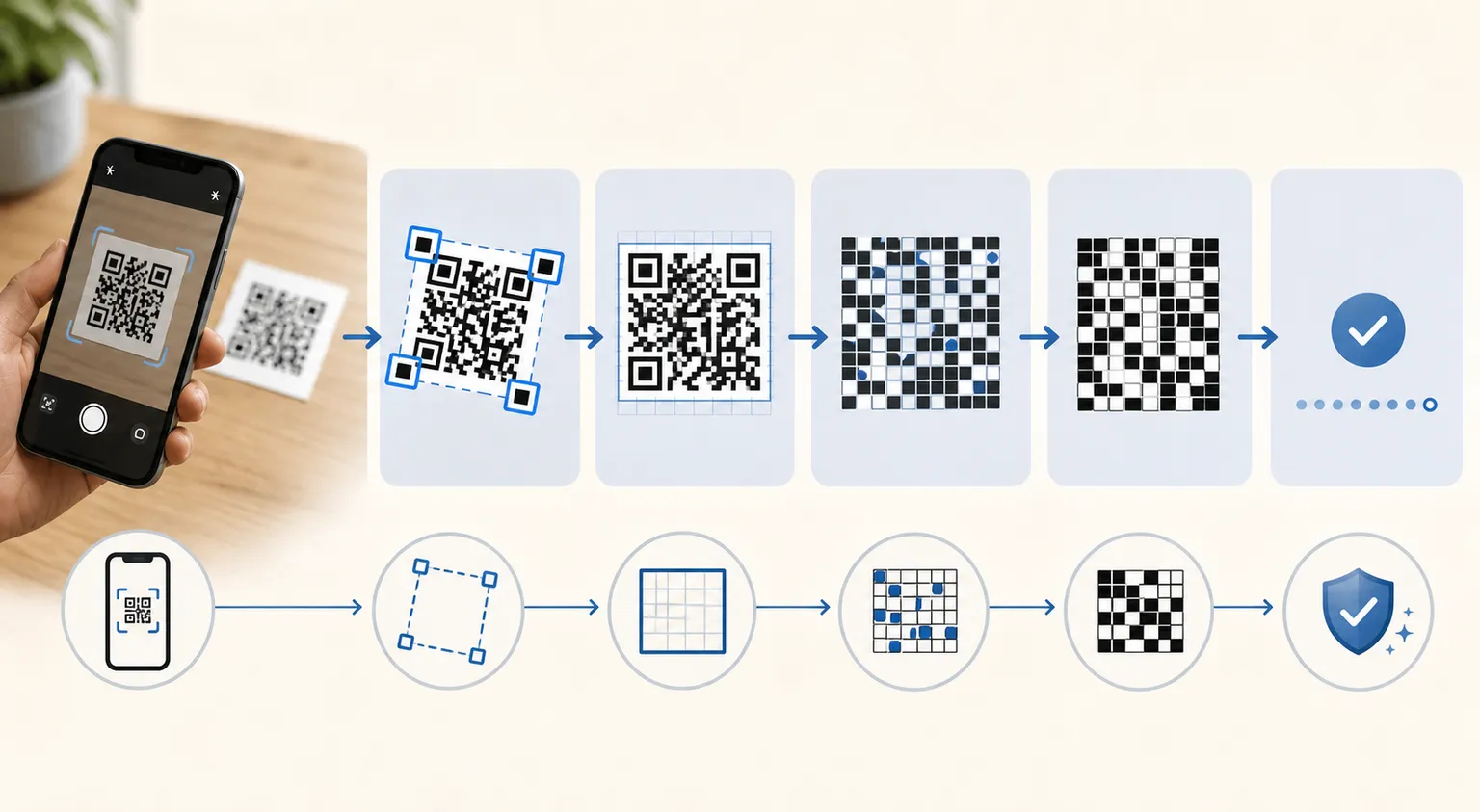
Point a camera at a code and a fast, invisible sequence runs. First the app sweeps the frame hunting for those three finder squares. The moment it locks onto them it estimates the code’s boundaries and mentally straightens it out, correcting for rotation and the tilt of your hand. Then it samples the grid module by module, reads the format information, peels off the mask, and runs error correction to rebuild any squares that were damaged, blurred, or reflecting a light.
Out the other end comes plain text. And here is the part people miss: what happens next is entirely the phone’s decision, not the code’s. If the recovered text starts with https://, your reader offers to open a browser. If it is Wi-Fi syntax, the operating system offers to join the network. The printed square did not do any of that. It handed over some text, and your device chose the action.
A tiny example that makes it click
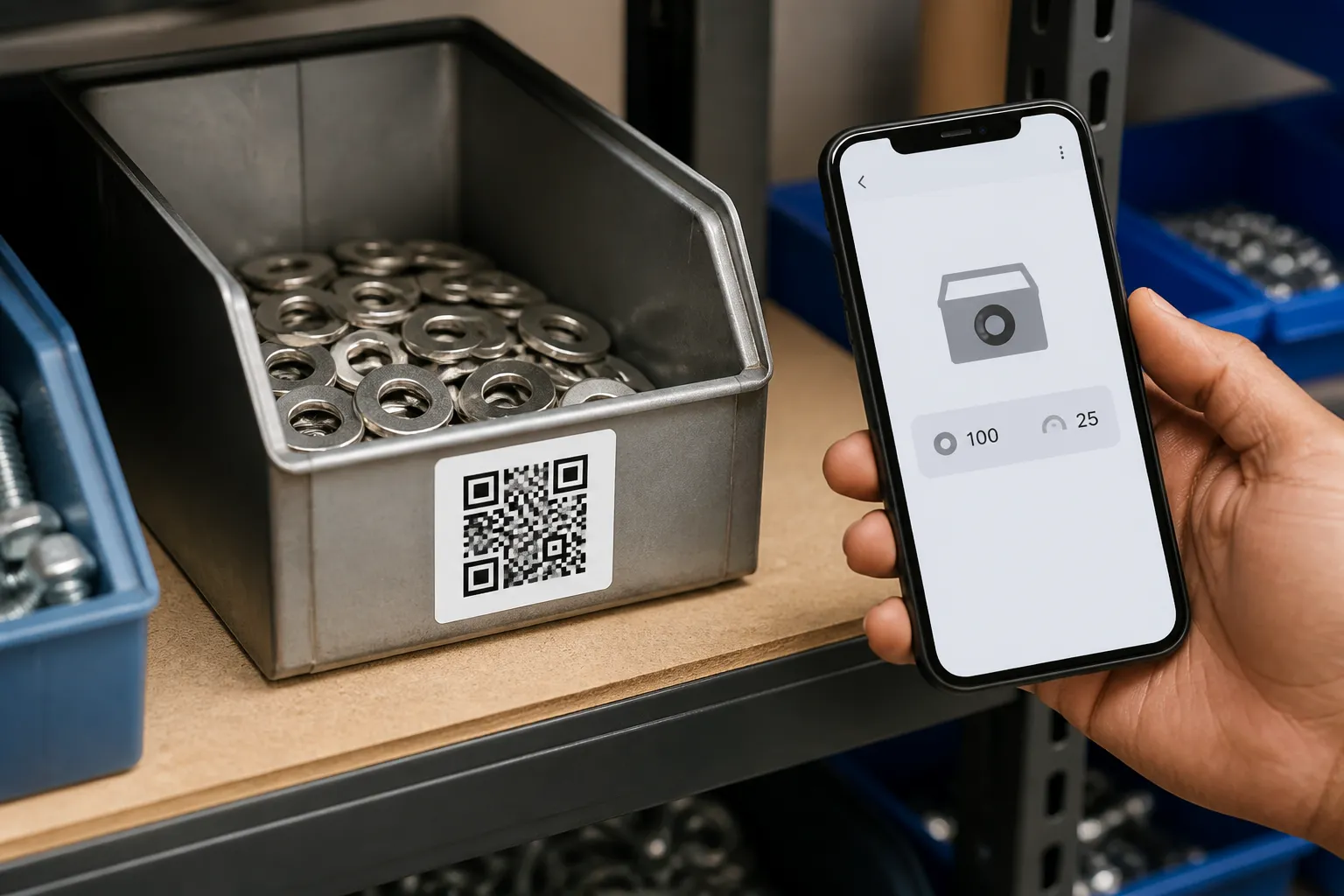
Picture a label on a workshop bin holding exactly this text:
Bin 14 - M4 stainless-steel washersScan that and nothing connects to the internet. No server, not HighEndDIY, nobody. The words were stored inside the pattern, and your phone simply reads them back to you. It is a printed sticky note that a camera can read.
Now imagine a near-identical looking label on the next bin that instead stores https://example.com/bin-14. That one asks your scanner to open a web page. The two codes can look equally busy and complex, yet one is completely self-contained and the other reaches across the internet. You cannot tell which is which by looking - only by reading what decodes.
Fixed pattern, optional moving destination
Because the pattern is frozen once printed, its payload is normally fixed too. So how do products that promise you can change the destination anytime work? They usually store a short redirect address that belongs to a service. The printed square stays static forever; the service’s server changes where that short address forwards you. Handy on packaging you cannot reprint, but it quietly adds hosting, privacy, longevity, and subscription questions that a plain static code never raises.
For what it is worth, HighEndDIY’s generator makes ordinary static codes. There is no redirect sitting in the middle, no scan dashboard, and no account behind the square. If you want the steps for one of the most common cases, creating a QR code for a website walks through it directly.
The limits worth respecting
More information means more modules, and more modules means a denser, busier pattern that needs more physical room and cleaner printing to stay readable, which is why choosing the right size matters as much as the design. Drop a big logo in the centre and you are covering usable data. Print it in pale grey on cream and you have starved the reader of contrast. Wrap it round a can or laminate it under glossy light and you have added distortion and glare, the same mix of causes covered in why QR codes sometimes fail to scan. Error correction is generous and forgiving, but it is a safety net, not a licence to ignore contrast, size, and the quiet zone. Treat the code as the honest little machine it is, give it room and light, and it will read every time.
Sources and further reading
Create the code you need
Use HighEndDIY’s private browser tool, then test the result in the setting where people will scan it.
Create a QR CodeFound something that should be corrected? Email [email protected].